01 Find
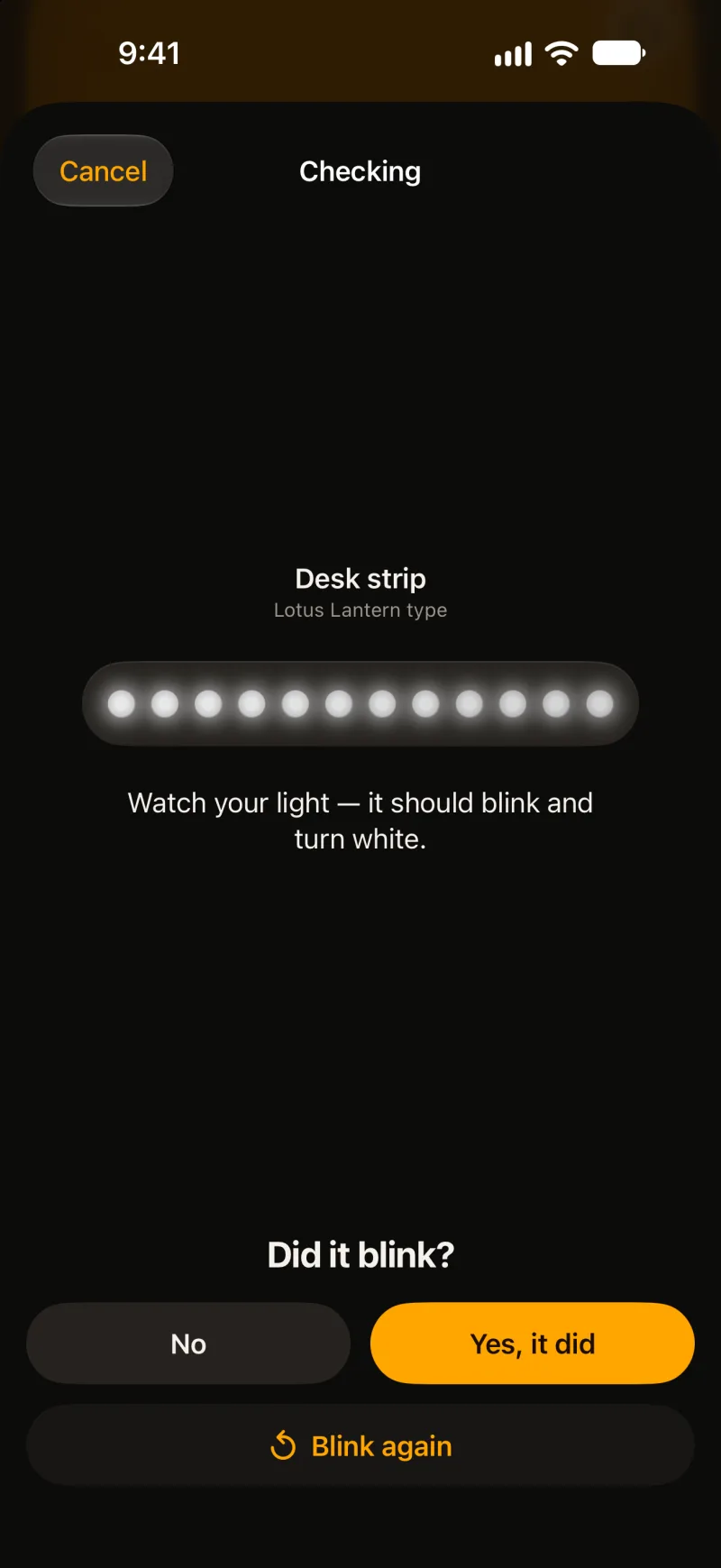
Did it blink?
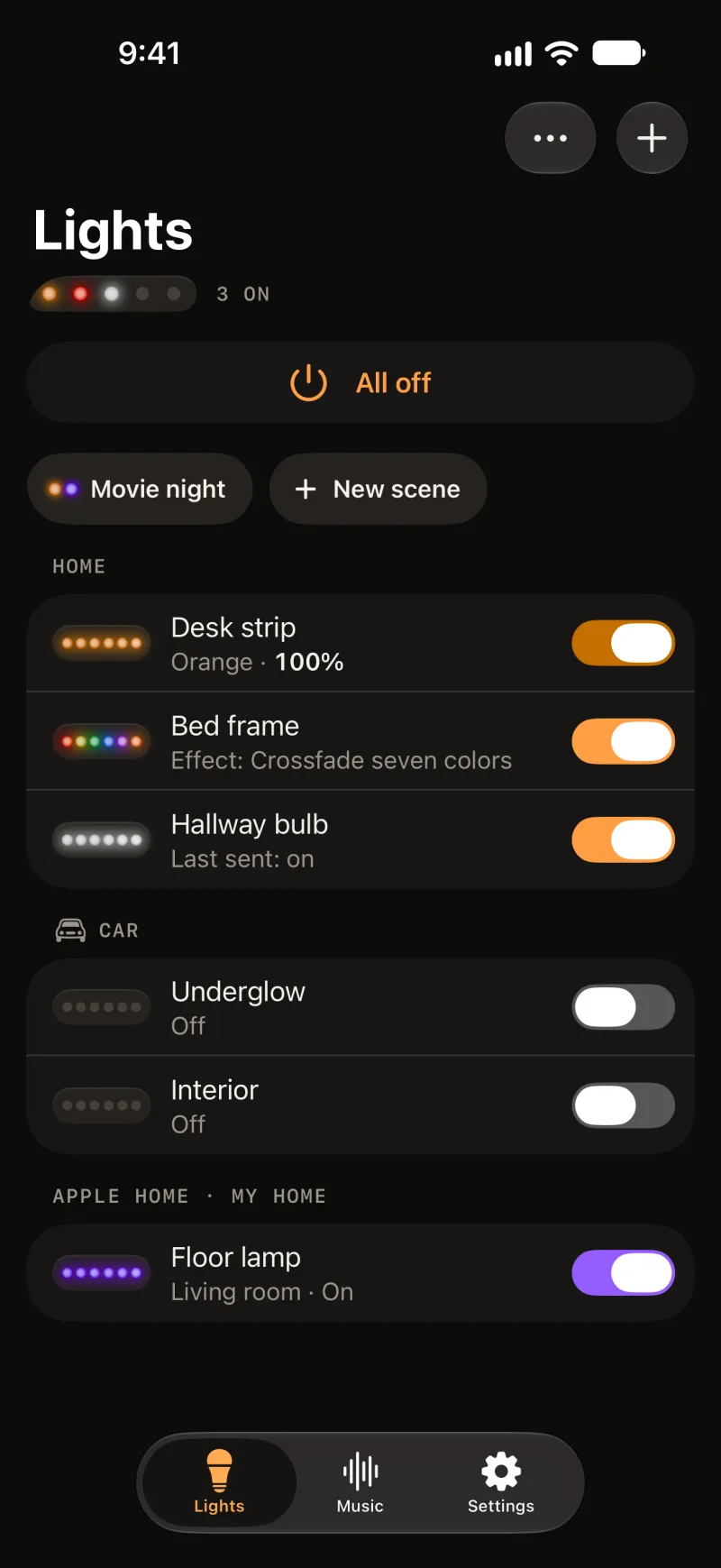
AnyGlow finds your light and makes it blink three times. Say yes and it’s added. You see it work before you pay anything.
 AnyGlow
Coming soon to the App Store
AnyGlow runs the Bluetooth strips, bulbs and car lights sold with ad-filled or subscription apps. It proves it works on your light before you pay anything.
Free for up to 5 lights · Pro is one purchase, never a subscription · No ads, no account
01 Find
AnyGlow finds your light and makes it blink three times. Say yes and it’s added. You see it work before you pay anything.
02 Color
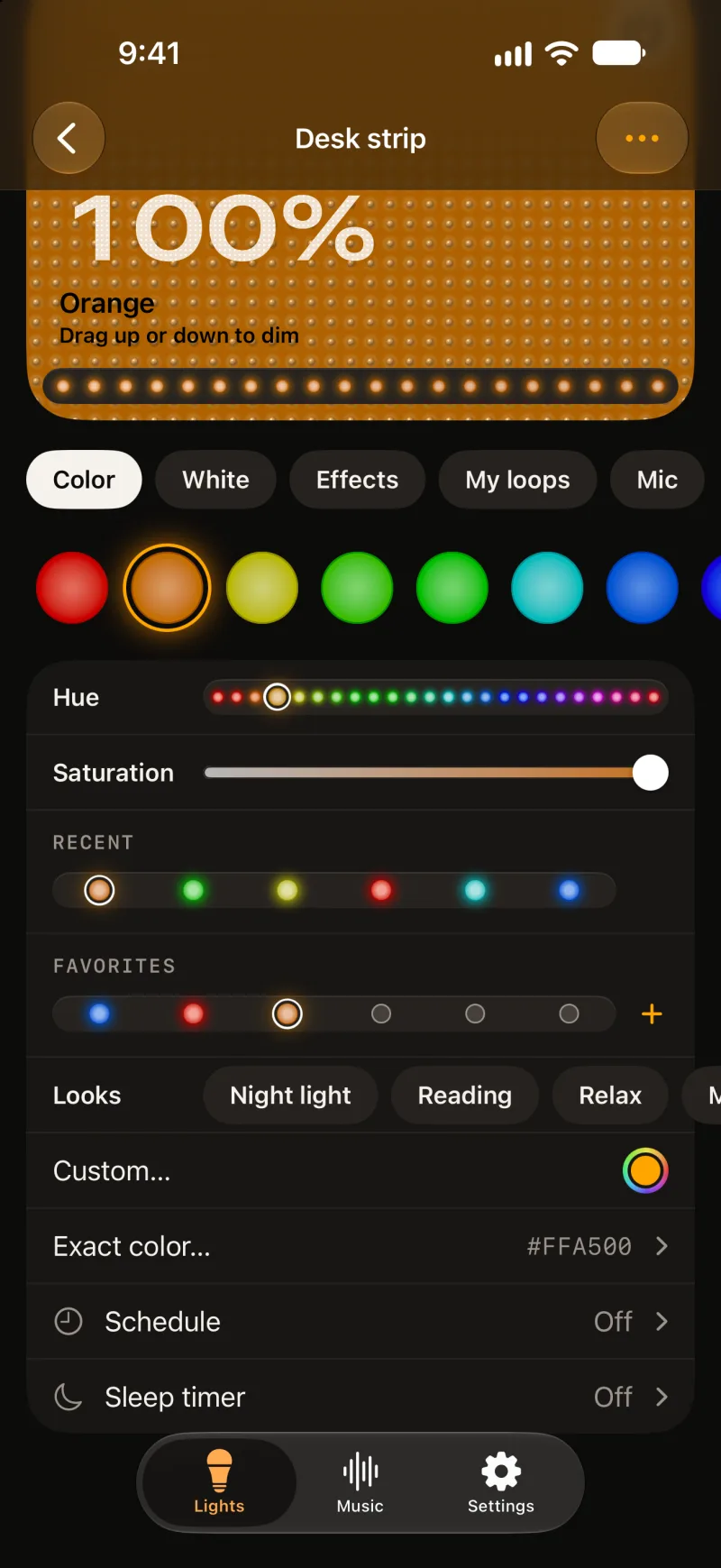
Color, brightness, white from 2700 to 6500 K, built-in effects and the controller’s mic. Everything your light can do by itself is free, for up to 5 lights.
03 Evening
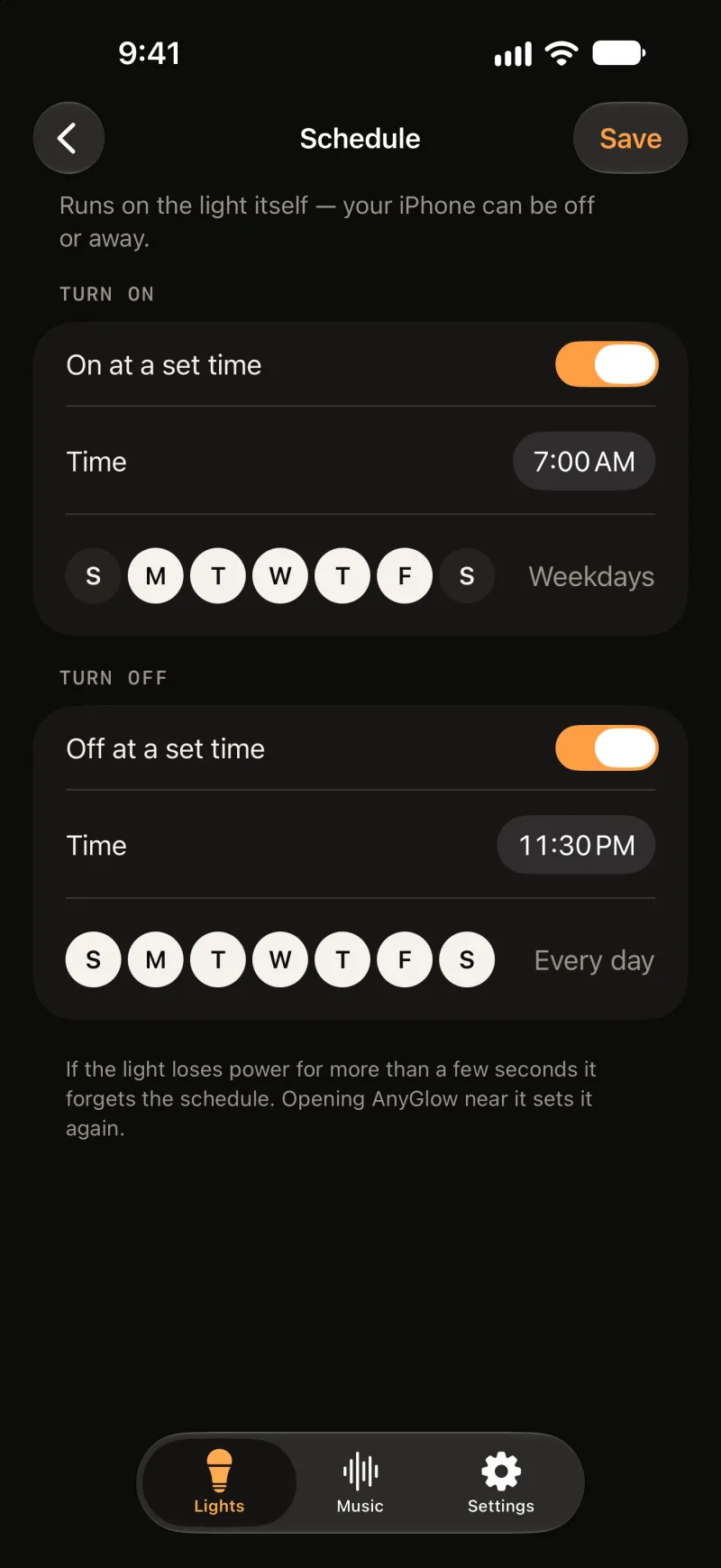
Set 2700 K for the evening. On lights with a timer AnyGlow can set, schedules run on the light itself, so at 11:30 PM the shelf turns off with your phone in another room.
11:30 PMShelf strip · off
04 Party Pro
Music mode listens through the microphone, so it works with anything playing out loud, from any app or speaker in the room.
05 Car
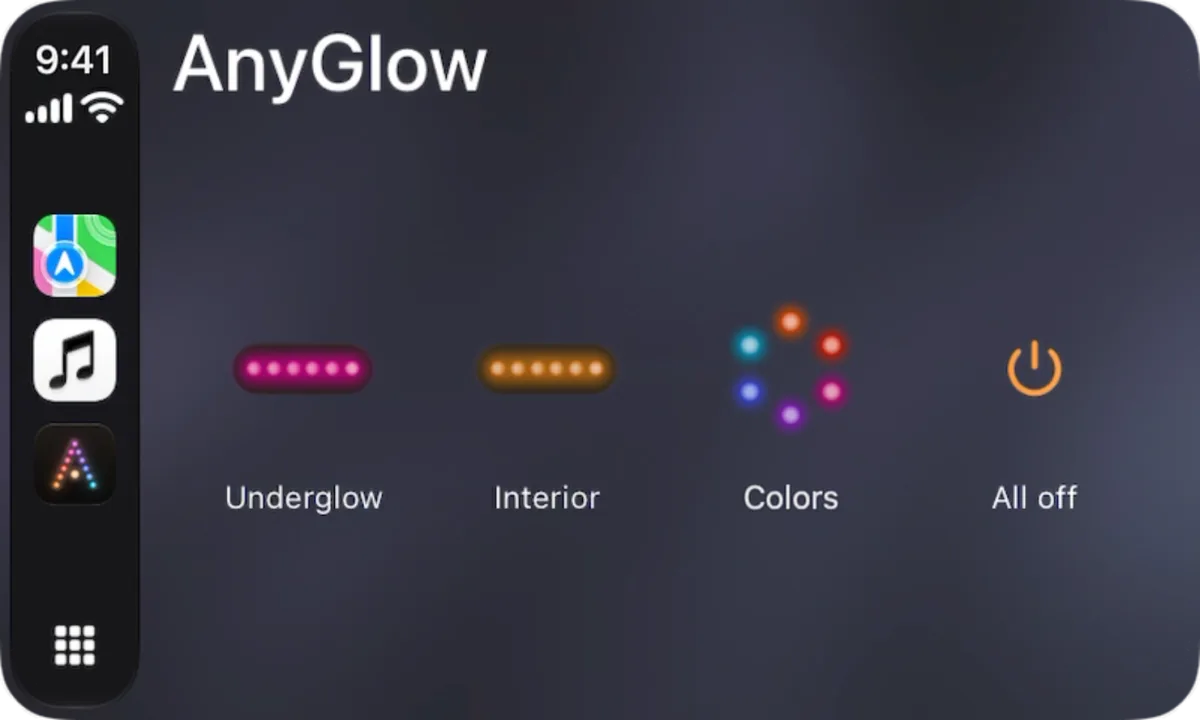
CarPlay buttons, your color back when the car starts, and a controls lock against bumps (and kids). On and off is free; scenes and colors on CarPlay come with Pro.
06 All off
All off turns every light dark at once. It’s free, forever.
Pricing
Start free with up to 5 lights. Pro is one purchase, never a subscription ($7.99 in the US; local prices vary).
$0 for up to 5 lights
One purchase, never a subscription
 Coming soon to the App Store
Every Bluetooth and Wi-Fi light blinks before it’s added (a remote-only light gets a test press instead), so you know AnyGlow works on it before you pay anything.
Works with
Bluetooth strips, bulbs and car lights sold for these apps. Works means at least one kind of light sold for that app has passed our hardware test; other kinds may still be in beta. When you add a light, the app shows your exact light’s level. Not sure about yours? The blink test tells you before you pay anything.
Guides
Many car LED kits use the same Bluetooth controllers as home strips. How they get power, how to control them with their own app and remote, and how AnyGlow puts them on CarPlay.
ELK-BLEDOM is the Bluetooth name of a common LED controller, not a brand. Which apps it ships with, why only one phone can connect, and what its effects, mic and timer do.
When red shows up green, your LED strip takes its colors in another order than its controller sends them. How to find the order with two test colors, and fix it.
Questions
It works with Bluetooth lights sold for apps such as Lotus Lantern, Keepsmile and BanlanX, and others in beta, and with Magic Home Wi-Fi lights (beta). Remote-only lights can use an infrared bridge (beta). You don’t have to guess: every Bluetooth and Wi-Fi light blinks before it’s added (a remote-only light gets a test press instead), so you see it work before you pay anything. Which App Does My LED Strip Use? lists the lights by the app on the box and by Bluetooth name.
No. AnyGlow is free for up to 5 lights, with everything your lights can do on their own. Pro is one purchase, never a subscription ($7.99 in the US; local prices vary). It adds unlimited lights and what your iPhone does for them: music mode, groups and scenes, Siri, the widget, scenes on CarPlay and the Apple Watch app.
It still gets its blink test first. Then you can unlock Pro, or replace one of your five lights. Lights you’ve already added are never locked.
Not for everyday control: AnyGlow talks to your lights directly, with no account. A brand-new Wi-Fi controller joins your Wi-Fi once in its own app, such as Magic Home Pro, and a Broadlink bridge is set up in the Broadlink app. Close the original app before you add a light, though: a Bluetooth light talks to only one app at a time.
No. There’s no account, no ads and no analytics, and AnyGlow has no server. Your lights, scenes and settings are stored on your own devices and never reach us. The privacy policy has the details.
It can, through an optional infrared bridge: an ESPHome infrared proxy on your Wi-Fi, or a Broadlink RM4 mini or pro already set up in the Broadlink app. The infrared path is beta in 1.0. AnyGlow then shows the remote’s buttons, and controlling the light is free.